Smol optimization
Give repeated requests a consistent shared prefix, control the policy on each endpoint, and measure its effect on your workload.
When several requests use the same material, the order in which an application supplies it can change how much of the prompt a model server can reuse. Smol optimization puts the selected content from each Context Space in a consistent order, so requests can share the same beginning even when different callers ask for those items in different orders.
What changes when you turn it on?
Section titled “What changes when you turn it on?”Suppose you add Returns to a Context Space, then Warranty. Two support agents use the same versions of both sources to answer different questions:
| Request | Items selected by the agent | Smol off | Smol on |
|---|---|---|---|
| Agent A | Returns, Warranty | Returns → Warranty | Returns → Warranty |
| Agent B | Warranty, Returns | Warranty → Returns | Returns → Warranty |
Off preserves the supplied order within the space. On uses the order in which items were first added to the space. The same two items still reach the model; neither agent’s question is replaced. Smol inserts the shared material after any leading system messages and before the request-specific conversation. It does not reorder your chat turns, search for documents, or change their permissions.
A compatible cache may reuse the computation for a matching prefix instead of processing it again. The leading system messages and content versions must also match for that prefix to match. A changing prefix, a cold cache, or a workload with no shared content may see little or no benefit. If repeated requests already present identical inputs in identical order, the serving backend may already reuse them with Smol off.
Enable it on an endpoint
Section titled “Enable it on an endpoint”- As an organization owner or admin with MFA, open Inference → your endpoint → Optimization. If the tab shows Not verified rather than a control, check the endpoint’s readiness first.
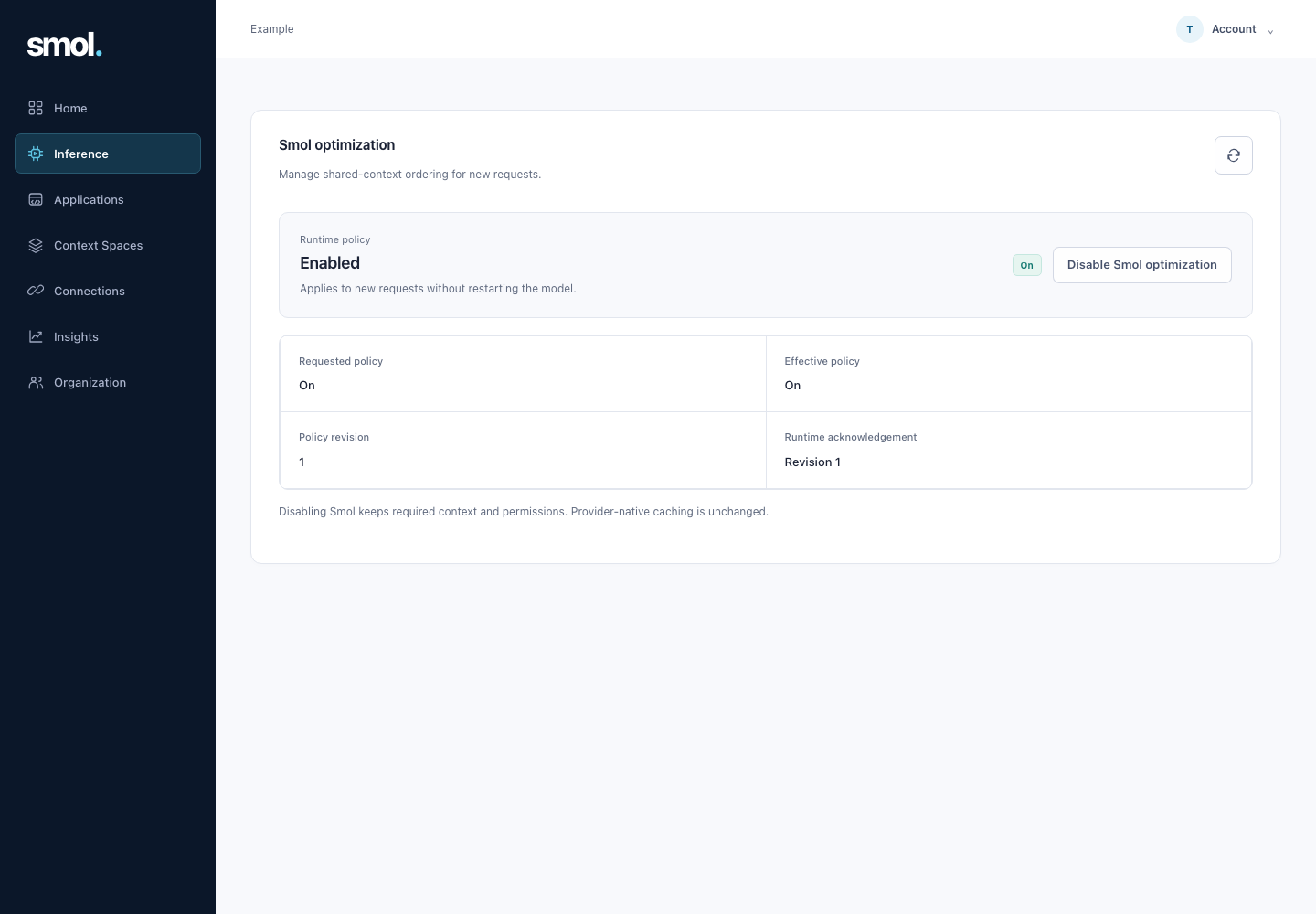
- Select Enable Smol optimization and confirm. Requested policy is the change you saved; Effective policy is what the serving runtime has acknowledged. Update pending means the two revisions do not yet match.
- Use the refresh icon to read the current status. Look for Enabled, Effective policy: On, and Runtime acknowledgement matching the Policy revision. If a change could not be confirmed, refresh before deciding whether another change is needed.
- Send the next request as usual. The change applies to new requests without restarting the model or modifying an in-flight request. To return to caller order, choose Disable Smol optimization, confirm, and check for Effective policy: Off.
Which control do I need?
Section titled “Which control do I need?”| If you want to… | Use |
|---|---|
| Include selected material by default or follow a source’s latest version | Endpoint → Context → Automatic context |
| Supply different material or skip the defaults for one call | Context fields in the inference request |
| Keep the selected shared material in a consistent order | Endpoint → Optimization |
Provider-native caching remains separate. Turning Smol off does not disable a provider’s cache, remove required context, or revoke access. Turning Smol on does not reserve a warm cache or save model weights in a Context Space.
Measure the effect on your workload
Section titled “Measure the effect on your workload”Compare Off and On with the same model, serving configuration, provider cache settings, source versions, questions, output limits and concurrency. Include the request orders your applications actually produce. Check the effective policy before each comparison, distinguish first requests from warm repeats, and verify the answers against the same expected facts. Each new generation can incur charges.
- Reuse: inspect reported cache reads, cache writes and uncached input tokens. An increase in cache reads is evidence of reuse, not by itself a dollar saving.
- Cost: compare estimated token cost per comparable successful answer, including output and cache writes. On hourly GPU infrastructure, faster processing alone does not reduce the bill while the instance remains running.
- Responsiveness: for streamed requests compare First content p50 and the number of requests with timing. This measures the first content observed at the gateway, not the first HTTP byte. Missing measurements are unknown, not zero.
Use endpoint Activity to inspect individual requests and Insights → Costs and Performance for trends. To try the same sources with an actual request, follow Use a versioned policy in an inference request.