Configure automatic context
Choose pinned content or follow a whole space, and control what each endpoint request receives.
Attach a space to make it available; configure automatic context to include material by default. You do not have to create another credential when changing an endpoint’s attached spaces. Review the audience for every affected credential before broadening access.
- Open Inference → your endpoint → Context. In Context spaces, select Add context space and attach the intended space.
- Under Automatic context, choose Configure and select the attached space. Choose individual content versions or All Content for the set available now.
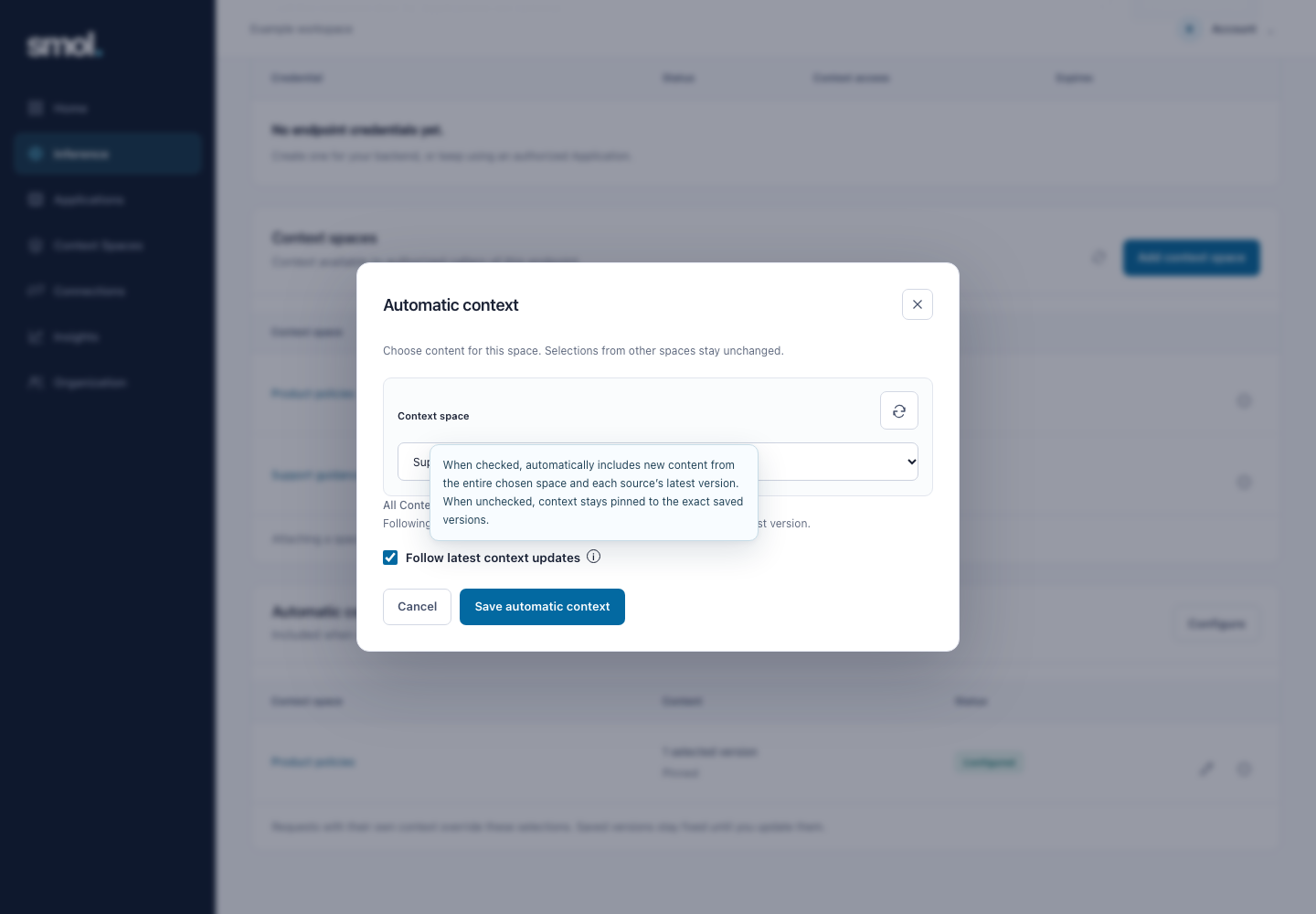
- Decide how updates should work. Leave Follow latest context updates unchecked to save a pinned selection. Check it to follow the whole space, including newly added content and each named source’s latest version. This is not “follow just these selected documents.”
- Save and check the Automatic context row for Pinned or Following latest. To include another attached space, choose Configure again. Automatic context supports up to 128 content versions across the selections; prefer a narrower selection for large spaces.
What changes with the next version?
Section titled “What changes with the next version?”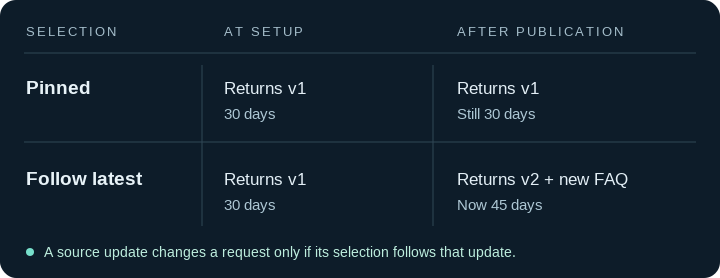
| After the source changes | What an ordinary request receives |
|---|---|
| Selected v1, or All Content saved while v1 was current; checkbox off | The saved versions. Neither v2 nor a newly added source joins the pinned selection automatically. |
| Follow latest context updates on | The currently available material from the whole space, including v2 in place of v1 and newly added content. |
Override or skip the defaults
Section titled “Override or skip the defaults”Omit context fields to use the endpoint defaults. Supply smol_context with a permitted space and handles to replace the defaults for that request. To skip default context, send "smol_context_mode": "none" without an explicit context block. None of these options bypasses access checks. See Context request fields.
Each request resolves its own exact selection; a later source update does not silently replace material already selected for an in-flight request. Removing automatic context clears the default but leaves the space attached for explicit requests. Removing the space attachment also removes its default, without deleting the content or revoking any separately granted Application access.
New source not included?
Section titled “New source not included?”Check the Automatic context row, not just the attachment list. Verify the selection mode, that the source is live, that the caller is authorized, and that the request did not override or disable the defaults. A content handle or stable prefix does not guarantee a provider cache hit. Wider defaults can increase input cost and put more information into each request; use only what the endpoint’s callers need.